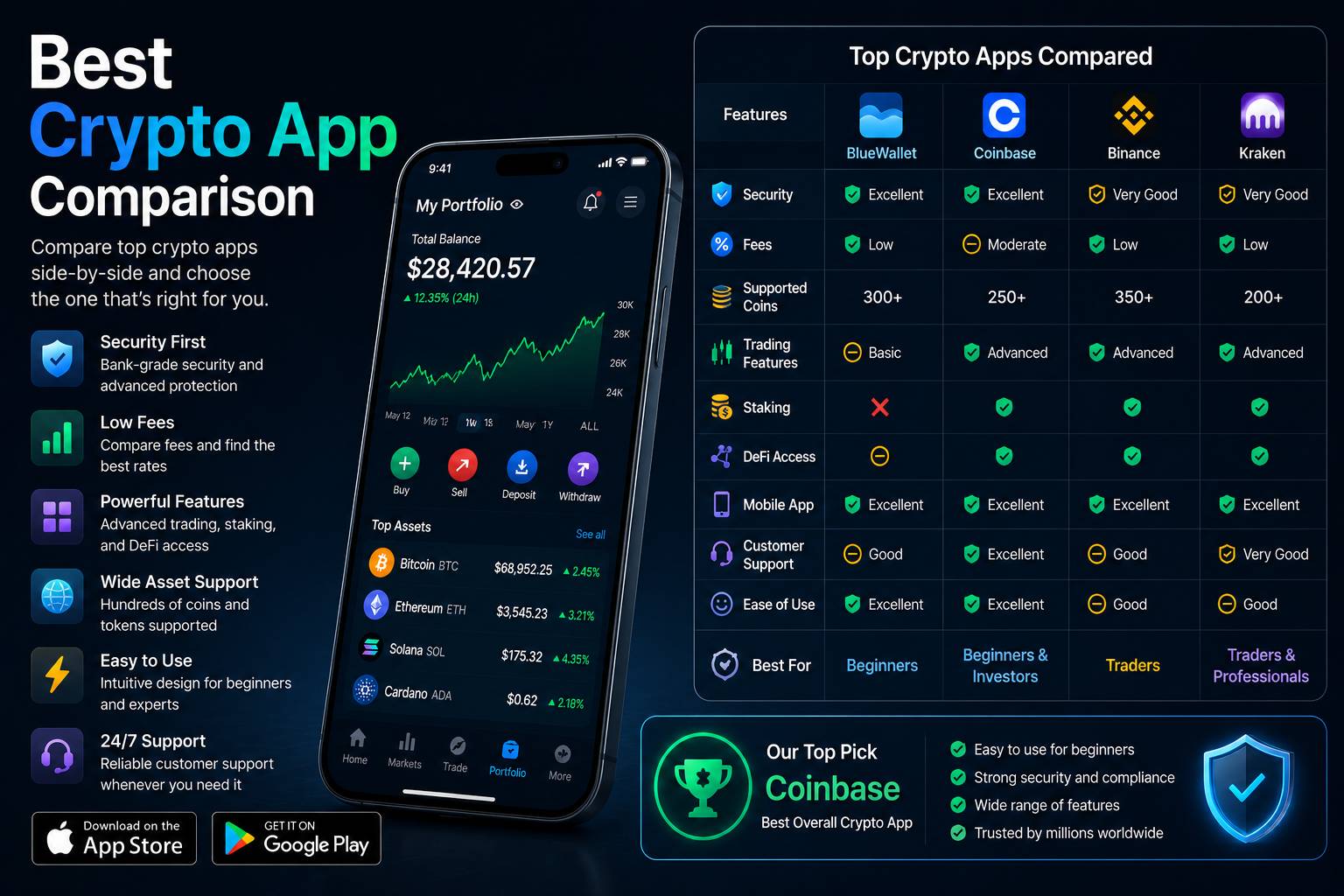
Crypto apps can be confusing because they combine several different ideas inside one mobile interface. A user may see wallet balances, market charts, trading buttons, deposit addresses, stablecoin transfers, account security settings and portfolio summaries all in the same app. This FAQ is designed to answer practical questions in plain English so readers can understand the main parts of a crypto app before using any feature seriously.
The goal is not to make crypto look risk-free or overly simple. Digital asset apps can be useful, but they require careful attention. Users need to understand wallet access, recovery information, transaction finality, fees, networks, market volatility and account protection. Clear answers can help users slow down and make better decisions.
What is a crypto app?
A crypto app is a mobile or web application that helps users interact with digital assets. It may include a wallet, price tracker, trading interface, payment tool, portfolio dashboard, account security center and transaction history. Some apps focus on one function, such as wallet storage, while others combine several features in one platform.
What makes a crypto app useful?
A useful crypto app is clear, secure and organized. It should show balances, wallet addresses, transaction details, fees and account settings in a way users can understand. It should also help users avoid mistakes by showing confirmation screens, warnings and clear labels before important actions.
Is a crypto wallet the same as a crypto app?
Not always. A wallet is one part of the crypto experience. It helps users control access, receive assets, send transactions and review balances. A crypto app may include a wallet, but it may also include trading, payments, market data and portfolio tools. Some apps are wallet-only, while others are broader platforms.
What is the difference between custodial and non-custodial wallets?
In a custodial wallet, a platform manages certain aspects of custody and account recovery. In a non-custodial wallet, the user controls recovery information such as a seed phrase or private key. Non-custodial wallets give more direct control, but they also require more personal responsibility.
Why is wallet recovery so important?
Recovery information may be the only way to regain access to a wallet if a device is lost, an app is reinstalled or credentials are unavailable. In a non-custodial wallet, losing the recovery phrase can mean losing access. Users should store recovery information safely and never share it with anyone.
What should I check before sending crypto?
Before sending crypto, check the asset name, network, destination address, amount, fee and any memo or tag requirement. Users should also confirm that the receiving wallet supports the selected asset and network. A careful review can prevent mistakes that may be difficult to reverse.
Why do some assets have multiple networks?
Some digital assets can move across different blockchain networks. The same asset symbol may appear on more than one network. Users must choose the correct network for both the sending and receiving wallet. A mismatch can create delays or loss, so network selection should be reviewed carefully.
Are Bitcoin apps different from general crypto apps?
Bitcoin apps may focus specifically on BTC price tracking, Bitcoin wallet access, transaction history and Bitcoin education. General crypto apps may support Bitcoin along with other assets such as Ethereum, stablecoins and altcoins. A Bitcoin-only app may feel simpler, while a multi-asset app may offer broader portfolio tools.
What are crypto trading apps used for?
Crypto trading apps are used to view market prices, charts, watchlists, trading pairs, order forms and portfolio performance. They may support buying, selling, converting or advanced order types. Users should understand order details, fees and market risk before placing trades.
Do trading charts guarantee better decisions?
No. Charts can help users study market movement, but they do not guarantee future results. Crypto prices can change quickly and unpredictably. A chart is a tool for observation, not a promise. Users should avoid making decisions based only on short-term movement or emotional pressure.
What fees can appear in a crypto app?
Fees may include trading fees, conversion spreads, withdrawal fees and network fees. Some costs are charged by the platform, while others are connected to blockchain network activity. A clear app should show estimated costs before a user confirms a transaction or trade.
Are stablecoin payments risk-free?
Stablecoins are designed to track the value of another asset, often a fiat currency, but they are not risk-free. Users still need to check networks, addresses, platform policies and transaction details. Stablecoins can be useful for transfers, but they require the same careful review as other crypto assets.
What security settings should I enable?
Users should consider strong passwords, two-factor authentication, biometric access, device management, withdrawal controls, address whitelists and account alerts when available. The right settings depend on the app, but stronger account protection is generally better than relying on a password alone.
How can I avoid fake crypto apps?
Download apps only from official sources, check the publisher carefully and avoid unknown links from messages or social media. Fake apps may copy names, logos or screens to trick users. Users should also be cautious of websites that ask for recovery phrases or private keys.
What is phishing in crypto?
Phishing is an attempt to trick users into revealing sensitive information or approving unsafe actions. It may appear as a fake email, fake support message, fake login page, fake reward or urgent account warning. Users should avoid clicking unknown links and should never share recovery information.
Why is mobile device safety important?
A crypto app runs on a device that may also contain email, messages, authentication apps and personal files. If the phone is unsafe, the crypto app may also be at risk. Users should protect their devices, update software, avoid unknown downloads and use secure unlock methods.
Should beginners use advanced trading tools?
Beginners should learn the basics before using advanced tools. Features such as complex order types, leverage, derivatives, bridges or high-risk assets may require more knowledge. A beginner-friendly app should separate basic tools from advanced features and explain risks clearly.
What is a watchlist?
A watchlist is a personalized list of assets a user wants to monitor. It may show price, daily movement and quick access to charts. A watchlist is useful for observation, but adding an asset to a watchlist does not mean the user should trade it. It is simply an organization tool.
How often should I review security settings?
Users should review security settings regularly, especially after changing devices, resetting passwords, adding withdrawal addresses or noticing unusual activity. Periodic reviews help users confirm that authentication, device access and alerts are still configured properly.
Can a crypto app remove all risk?
No app can remove all risk. A well-designed app can improve clarity, security and usability, but users still need to understand market volatility, transaction finality, wallet recovery and account protection. Careful habits remain essential.
Final Note
Crypto apps can be helpful tools when users understand how they work. The best experience is not only about fast access or attractive design. It is about clear wallet controls, careful transaction review, understandable security settings and responsible use. Readers who want the complete homepage guide can visit Best Crypto App.