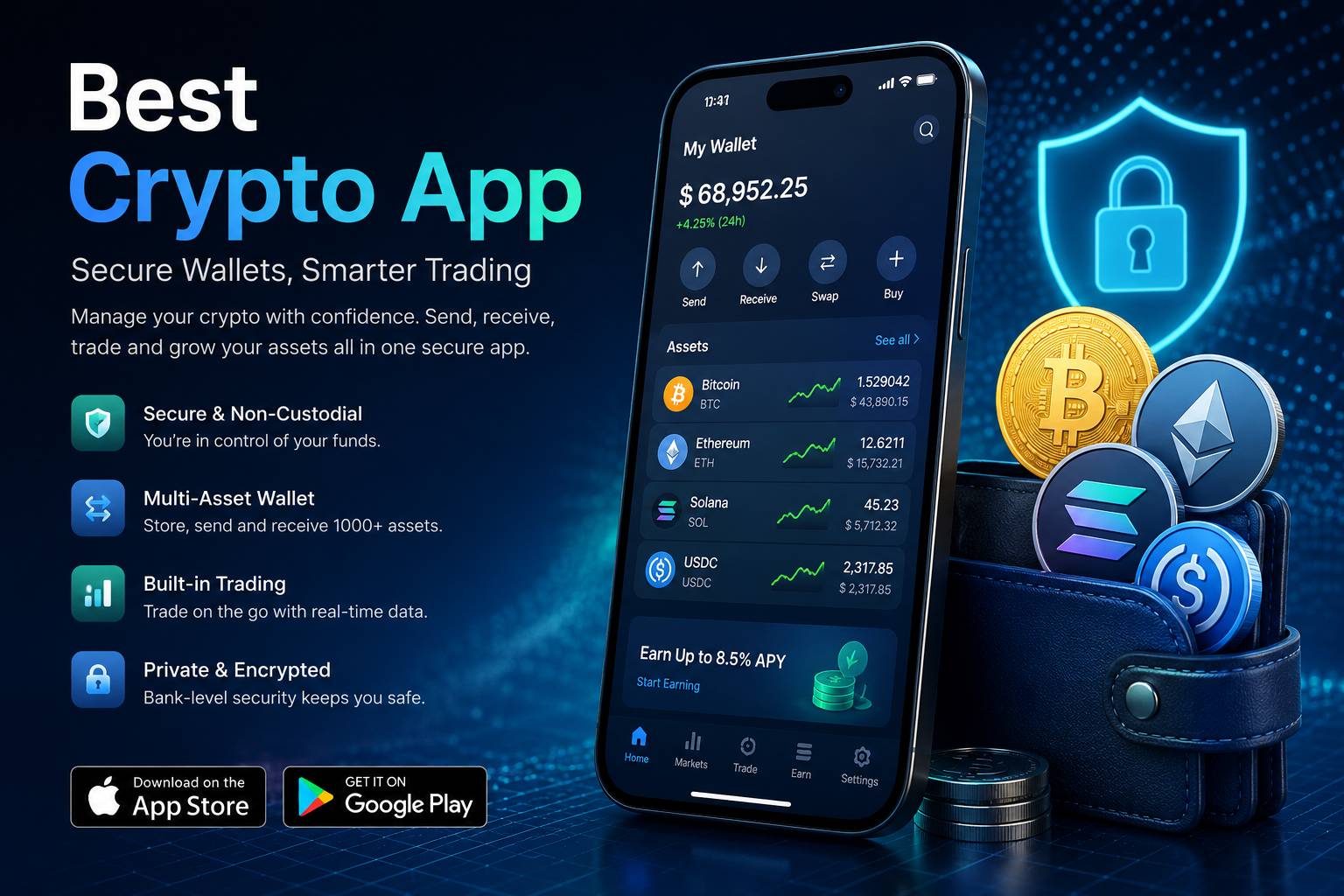
A crypto wallet is often described as a place to store digital assets, but that description is too simple. A wallet is really a system for controlling access. It helps users view balances, receive assets, send transactions, manage addresses, interact with networks and protect recovery information. In a mobile app, the wallet experience must be clear, safe and easy to understand because users are making important decisions on a small screen. A well-designed wallet can help users build confidence, while a confusing wallet can create mistakes that are difficult to repair.
Wallets are one of the first areas new crypto users encounter. They may open an app and see a list of assets, a total balance, send and receive buttons, transaction history, network labels and security prompts. These elements may seem simple, but each one carries meaning. A balance depends on asset prices and network records. A receive address must match the correct asset and chain. A send button starts a process that may be irreversible. A transaction history helps users understand what happened after an action. A recovery message may be the only warning that protects long-term access. This is why wallet pages deserve careful design and careful reading.
Custodial and Non-Custodial Wallets
One of the most important wallet differences is custody. In a custodial wallet, a platform manages certain aspects of asset custody for the user. The user usually accesses the wallet through an account, login credentials and platform verification. This may feel familiar to people who already use online financial services. A custodial wallet can be easier for beginners because account recovery may involve support processes, identity checks or platform account controls. However, users are also depending on the platform’s availability, rules and security practices.
A non-custodial wallet works differently. The user controls the recovery phrase, private key or signing method that gives access to the wallet. This model can provide more direct control, but it also gives the user more responsibility. If recovery information is lost, exposed or stored carelessly, access may be lost or compromised. A non-custodial wallet should clearly explain this responsibility. It should not treat a recovery phrase as a normal password. It should warn users not to share it, upload it, screenshot it or enter it into unknown websites.
Neither model is automatically perfect for every person. A beginner may prefer a custodial account while learning basic concepts. A more experienced user may prefer direct control through a non-custodial wallet. Some users may use both for different purposes. What matters is understanding the difference. A wallet app should tell users what type of wallet they are using, what recovery process applies and what actions they must protect.
Wallet Addresses and Network Selection
Wallet addresses are another area where clear design matters. A crypto address is not like a casual username. It is a destination for value on a specific network. Many assets can exist across multiple networks, and the same asset symbol may appear in different chain environments. If a user selects the wrong network or sends assets to an incompatible address, the result may be difficult to fix. A wallet app should make asset and network details obvious before a deposit or withdrawal is confirmed.
A strong receive screen should show the asset name, network name, address, QR code and any additional requirements such as memo or tag details. It should also include clear warnings when network compatibility matters. A strong send screen should repeat the asset, destination address, selected network, amount, fee and final confirmation details. Users should not have to rely on memory when reviewing a transaction. The app should show the most important information at the moment of decision.
Recovery Information and Long-Term Access
Recovery is one of the most serious wallet topics. Many users focus on app design, supported coins or price charts, but recovery determines what happens if something goes wrong. A phone may be lost, broken or replaced. An app may be reinstalled. A password may be forgotten. A user may move to a new device. In these situations, the recovery process becomes essential. A wallet that does not explain recovery clearly can leave users vulnerable at the worst possible moment.
In a non-custodial wallet, recovery information may be the only way to regain access. This information should be stored offline in a safe place, away from screenshots, cloud notes, email drafts and messaging apps. Users should be careful with anyone who asks for a recovery phrase. Real support teams should not need it. Fake websites and fake support messages often try to trick users into entering recovery information. A good wallet app should educate users about these risks during setup and again when sensitive actions are performed.
Custodial recovery is different but still important. Users should understand the account recovery methods available, such as email verification, phone verification, identity checks, device approval or support review. They should also understand delays and restrictions that may occur after changing security settings. For example, a platform may lock withdrawals temporarily after a password reset or device change. These controls can protect users, but the app should explain them clearly.
Hot Wallets and Cold Wallet Concepts
Wallet discussions often mention hot wallets and cold wallets. A hot wallet is connected to the internet and is usually more convenient for daily use. Mobile wallets are often hot wallets because they allow users to send, receive and interact quickly. A cold wallet is designed for offline or less connected storage. It may be used for longer-term holding or larger balances that do not need frequent movement. These categories help users think about convenience and security together.
A mobile crypto wallet is useful for access, but users should think carefully about how much value they keep in a daily-use wallet. The same phone may be used for browsing, messaging, public Wi-Fi, downloads and many other activities. That does not mean mobile wallets are automatically unsafe, but it does mean users should use strong device protection, app security settings and careful habits. For long-term storage, some users may prefer separating daily access from deeper reserves.
Multi-Asset Wallets
Many crypto wallets support multiple assets. This can be convenient because users can view Bitcoin, Ethereum, stablecoins and altcoins in one place. However, multi-asset support increases the need for organization. Different assets may use different networks, fee structures, address formats and confirmation behavior. A wallet should help users understand these differences instead of presenting every asset as if it works the same way.
A good multi-asset wallet should allow users to search assets, hide unused assets, review asset details and understand network choices. It should make stablecoins easy to identify while still explaining network differences. It should display transaction history by asset and show pending activity clearly. It should avoid overwhelming the user with too many promotional panels or advanced tools inside the basic wallet view. The wallet area should feel calm because it is the place where users review value and confirm movement.
Wallet Security Settings
Security settings are essential for wallet safety. Common tools include password protection, biometric login, two-factor authentication, device approval, withdrawal whitelists, transaction alerts and anti-phishing codes. These features work best when they are easy to find and easy to understand. If a wallet hides security options deep inside confusing menus, many users may never enable them. If a wallet explains settings clearly, users are more likely to build safer routines.
Transaction alerts are especially useful. A user should know when a login occurs, when a withdrawal is requested, when a new device is added or when a security setting changes. Alerts should be meaningful and visible. If an app sends too many promotional messages, important security notifications may be ignored. A mature wallet app treats security alerts differently from general updates.
Transaction History and Records
A wallet is not complete without clear transaction history. Users need to review deposits, withdrawals, received assets, sent assets, fees, pending confirmations and completed transfers. A good history page should allow users to identify what happened, when it happened and which asset or network was involved. If a transfer is delayed, the user should be able to find the status without searching through unrelated screens.
Records also help users learn from their own behavior. They can see how often they move assets, which networks they use, what fees they paid and whether their transfer process is organized. For more experienced users, export tools or detailed statements may be useful. Even for beginners, simple and readable records create confidence. A wallet that shows only a balance but hides the path of transactions feels incomplete.
Choosing a Wallet Experience
Choosing a wallet experience should begin with personal needs. A user who wants simple mobile access may prefer a wallet with clean design, clear recovery and strong alerts. A user who wants direct control may focus on non-custodial recovery and transaction signing. A user who moves stablecoins often may focus on network clarity and payment records. A user who holds several assets may need better organization and search tools. The right wallet is not only the one with the most features. It is the one that matches how the user actually manages assets.
Users should also consider their own habits. Are they careful with passwords? Do they understand recovery phrases? Do they use public Wi-Fi often? Do they share devices? Do they know how to recognize fake support messages? Do they review transaction details slowly? Wallet safety depends on both app design and user behavior. A well-built app can guide users, but it cannot replace personal caution.
A strong wallet experience should make users feel informed rather than rushed. It should explain custody, recovery, networks, addresses, transaction status and account protection. It should be easy enough for daily use but careful enough for serious actions. For a complete overview of mobile crypto tools, Best Crypto App connects wallet concepts with trading, payments, security and app comparison in one broader guide.